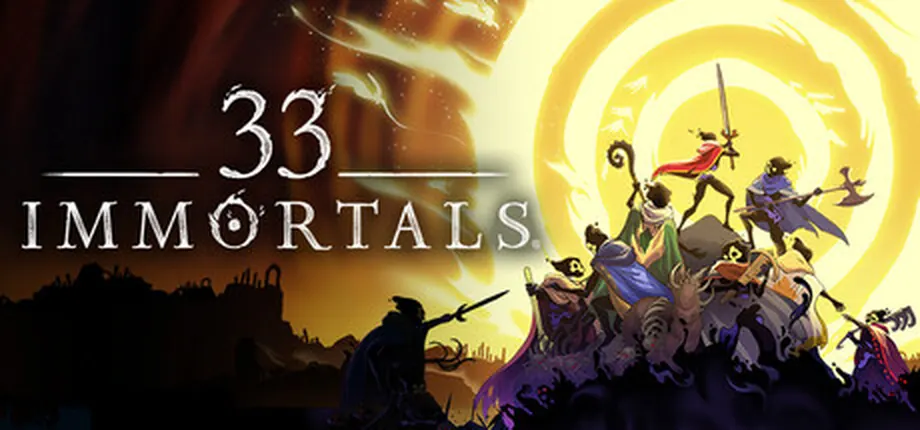
Is 33 Immortals on PS5, Xbox, Steam, or Game Pass?
The short answer is that 33 Immortals is officially available on Steam, the Epic Games Store, Xbox, Xbox on PC, and Xbox Game Pass. Thunder Lotus' current FAQ says the team is focused on those current platforms and is not focusing on other platforms, storefronts, or operating systems at this time. That makes PS5, Nintendo Switch, and Mac questions important, but the safe answer is not to assume a port until an official page says so.
This matters because search results can mix old Early Access wording, launch-delay posts, Steam announcement FAQs, Xbox store pages, and community speculation. The Xbox 1.0 launch also had a short certification delay on June 9, 2026 before Thunder Lotus announced on June 11, 2026 that the 1.0 version was live on Xbox, Game Pass, and Xbox on PC. If you saw an older delay headline, treat it as outdated context rather than the current platform status.
For PC players, the Steam listing is the cleanest source for system requirements. Minimum specs list Windows 10, a quad-core 2.4 GHz CPU, 8 GB RAM, DirectX 11, 5 GB of storage, and a 2 GB VRAM GPU such as GTX 950, Radeon R7 360, or Intel HD Graphics 630. The recommended line raises the CPU to quad-core 2.6 GHz and memory to 12 GB RAM. Because 33 Immortals is an online 33-player co-op roguelike, also check your network stability, controller preference, and the store where your friends play.
Similarweb keyword data shows that '33 immortals ps5' has clear search demand, but the official support answer still points the other way: Thunder Lotus lists Steam, Epic Games Store, Xbox, Xbox on PC, and Xbox Game Pass, and says the team is not focusing on other platforms, storefronts, or operating systems at this time. This page therefore answers PS5, Mac, Switch, and Linux queries directly while keeping the current official platform list intact.
If you searched 33 Immortals platforms because of a PS5, Mac, Switch, or Game Pass headline, separate confirmed availability from speculation. Use the official store and Thunder Lotus source links below, and treat crossplay as a multiplayer feature rather than proof of cross-save or every platform version.
Play now on Steam, Epic, Xbox, Xbox on PC, or Game Pass. Do not plan around PS5, Switch, Mac, or Linux unless Thunder Lotus or a store page announces that version.
33 Immortals platform availability table
Use this table as a source-checked snapshot for July 1, 2026. Store listings and support pages can change, so official links should be checked before purchase.
| Platform | Current status | Best for | Important note |
|---|---|---|---|
| Steam | Available | PC players who want the Steam store, Steam achievements, and the Steam community ecosystem. | Buying on Steam is separate from Epic or Xbox purchases. Thunder Lotus previously said Steam purchases are required if you want to play there. |
| Epic Games Store | Available | Players who already started during Early Access or prefer Epic on PC. | Use official Epic or Thunder Lotus pages for purchase and account information. |
| Xbox / Xbox Series / Xbox on PC | Available | Console players and Windows players using the Xbox app. | Thunder Lotus announced the 1.0 Xbox update live on June 11, 2026 after a brief certification delay. |
| Xbox Game Pass | Included where your plan supports it | Players who want to try 33 Immortals through Game Pass before buying on another store. | Check your region and plan. Xbox store wording can differ between cloud play, PC Game Pass, and Ultimate. |
| PS5 / PlayStation | Not officially listed | Wait-and-watch only. | The current official FAQ says the team is not focusing on other platforms at this time. Do not treat rumor pages as confirmation. |
| Mac, Linux, Nintendo Switch | Not officially listed | Players who should wait for first-party confirmation. | Steam's current system requirements list Windows 10. Other operating systems need an official listing before purchase decisions. |
| Mac / Steam Deck / Linux | Not officially listed as native support | Wait for store badges, Proton reports, or first-party confirmation before planning a purchase. | Steam lists Windows 10 requirements; do not infer native Mac or Linux support from PC availability. |
PC requirements and install checks
33 Immortals is not only a graphics check. It is a large co-op action roguelike, so performance, network stability, input comfort, and store account choice all affect the experience.
Minimum PC baseline
Steam lists Windows 10, quad-core 2.4 GHz CPU, 8 GB RAM, DirectX 11, 5 GB storage, and a 2 GB VRAM GPU such as GTX 950, Radeon R7 360, or Intel HD Graphics 630.
Recommended comfort
The recommended Steam line raises memory to 12 GB RAM and CPU to quad-core 2.6 GHz. That is the safer target if you want fewer drops during crowded fights.
Online play matters
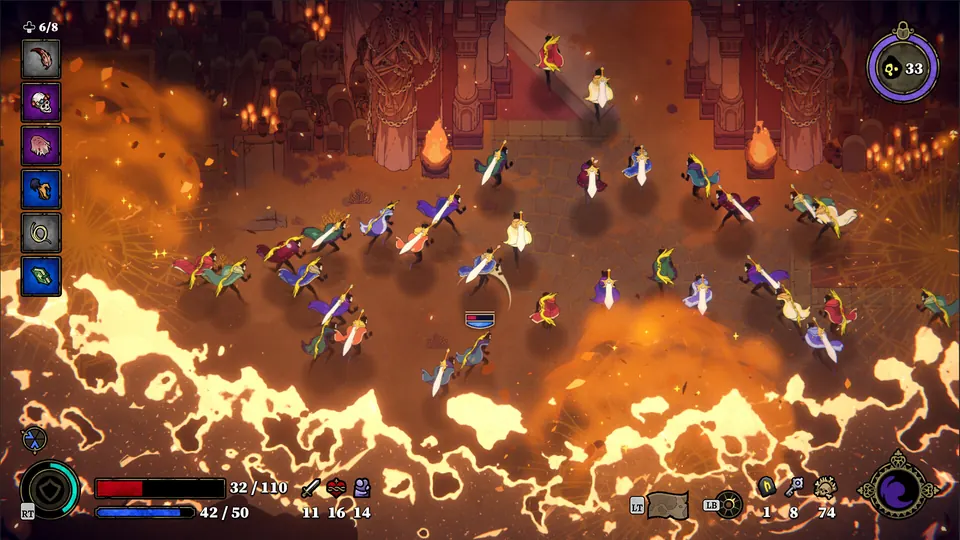
Because runs use instant matchmaking and 33-player co-op, a stable broadband connection and low-lag input setup are as important as meeting the raw GPU line.
PS5, Xbox, Switch, and Mac status explained
Xbox is current, not only an Early Access footnote
Some search results still surface older Early Access or delay wording. The useful current reading is that 33 Immortals 1.0 is live on Xbox, Game Pass, and Xbox on PC, with Steam and Epic also available.
PS5 searches need a cautious answer
The keyword demand for 33 Immortals PS5 is real, but the official FAQ does not list PlayStation. A PS5 page should therefore answer the question directly and tell players what official source would change the answer.
Mac, Linux, and Switch should not be inferred from PC support
A Windows PC listing is not the same as Mac, Linux, Steam Deck, or Switch support. Check the store compatibility badges and Thunder Lotus news before buying for an unsupported device.
Crossplay is supported, cross-save is limited
Thunder Lotus' Steam FAQ says Steam players can play with Epic and Xbox players, but save transfer or cross-progression is not supported in that same FAQ context. Choose your main store carefully.
Steam Deck and Mac searches should stay evidence-based
Players may try compatibility layers, but that is different from official native support. If you need portable or Mac play, check Steam compatibility badges, Thunder Lotus support, and current player reports before buying.
What to check before you buy or install
The right platform is usually the one where your friends, account history, subscription, and hardware line up. Use these checks before buying a second copy or waiting for a port.
Check the current official platform list
Start with the Thunder Lotus FAQ, official 33 Immortals page, Steam listing, Epic listing, or Xbox store page. Do not make a purchase decision from a generic release-date article alone.
Match the store to your progression
If you already played on Epic, Xbox, or Game Pass, verify whether your progress can move before buying on Steam. Thunder Lotus has said cross-saving and save transfers are not supported in the Steam FAQ context.
Use system requirements as a floor, not a guarantee
Meeting the minimum line can start the game, but crowded 33-player fights are easier to enjoy with extra memory, a stable network, and a comfortable controller or keyboard setup.
Wait for first-party proof on missing platforms
If you want PS5, Switch, Mac, or Linux, the practical move is to watch Thunder Lotus news and official store pages. Rumor pages and scraped listings are not enough.
Sources checked
- Thunder Lotus 33 Immortals FAQ - Used for current supported platforms and the statement about other platforms.
- 33 Immortals Xbox 1.0 announcement - Used to verify that Xbox, Game Pass, and Xbox on PC 1.0 are live.
- Official Steam listing - Used for PC system requirements, Steam status, and store context.
- Steam launch FAQ - Used for crossplay, Steam purchase, and save-transfer notes.