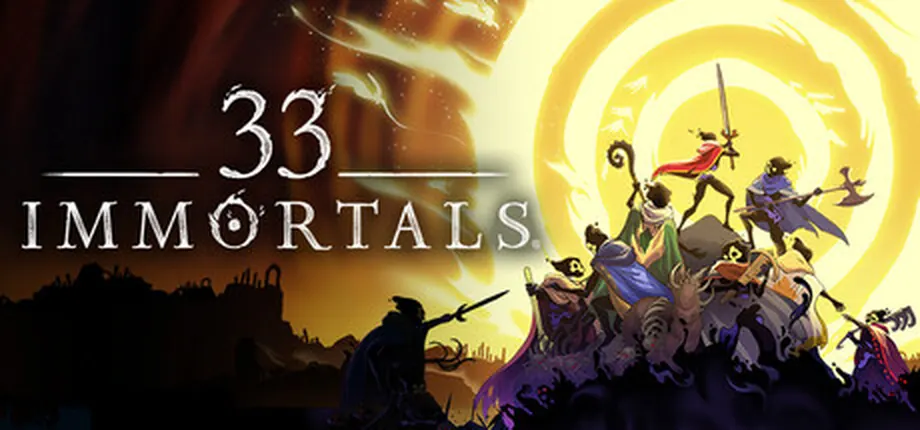
Quick answer: 33 players share a run, but your friend group is smaller
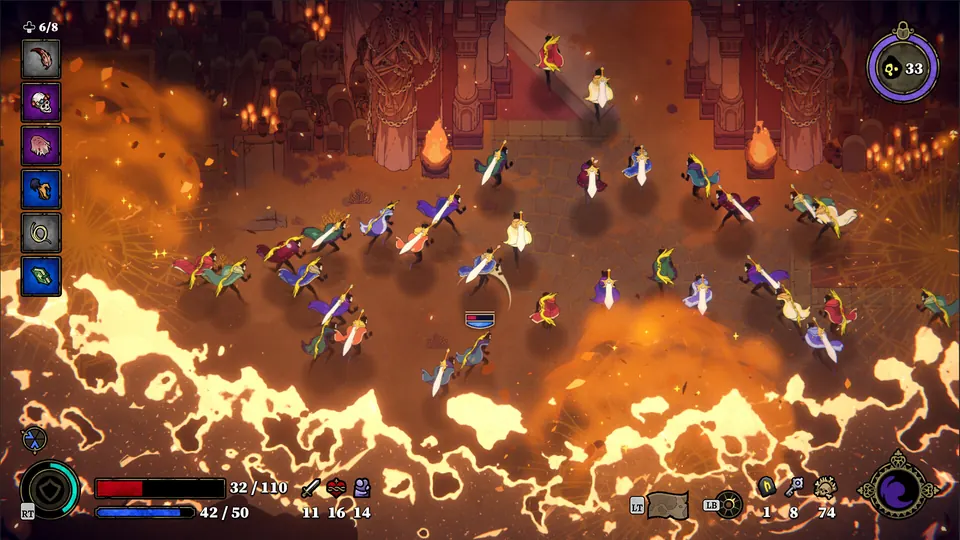
The headline answer is yes: 33 Immortals is designed for 33-player co-op runs. The official positioning describes it as an online co-op action roguelike where condemned souls fight together through raids, bosses, relic choices, and permanent upgrades. That number explains the scale of a full run, not a promise that every friend group can manually fill all 33 slots.
For searchers asking how many people can play 33 Immortals, the practical answer is: expect a large public raid with instant matchmaking, then coordinate with your own party inside that larger run. A small group of friends can queue together, but most players in the session will normally be matched allies. That is why voice chat, pings, revives, and readable roles matter more than trying to control every player.
This page separates four ideas that are often mixed together in search results: maximum players in a run, friend party size, crossplay between stores, and progression transfer. Those are different decisions. A game can support crossplay without moving saves between stores, and a 33-player raid can still ask your four-person squad to play disciplined roles.
Think of 33 Immortals as a 33-player raid with small friend-party coordination inside it. Queue with friends, let matchmaking fill the wider run, and plan around revives, positioning, and crossplay limits before choosing a store.
33 Immortals player-count and party-size table
Use this table to avoid confusing maximum raid size with party invites or platform account rules.
| Question | Best answer | Why it matters |
|---|---|---|
| How many players are in a full run? | Up to 33 players. | This is the game's defining co-op scale and the reason fights can feel crowded, chaotic, and raid-like. |
| Can I play solo? | You can queue without bringing friends. | Solo queue means you join matched allies; it does not turn the game into a private single-player campaign. |
| Can my whole friend group fill all 33 spots? | Do not assume that unless official party tools say so. | Plan around a smaller coordinated squad inside a larger matched run. |
| Is it PvP? | No, the core intent is co-op PvE. | Your job is surviving raids, helping allies, and beating bosses rather than fighting other players. |
| Does crossplay mean shared saves? | No. Crossplay and save transfer are separate. | Thunder Lotus' Steam FAQ discusses crossplay while also warning that cross-save or transfer is not supported in that context. |
How a multiplayer run usually flows
A 33-player run is easiest to understand as layers of coordination rather than one giant voice call.
Party up
Invite the friends you want to coordinate with directly before the run starts.
Matchmake
Instant matchmaking fills the broader raid with other players aiming for the same run.
Split roles
Some players clear, some revive, some hold space, and some focus elite or boss pressure.
Regroup
When major threats appear, collapse toward shared objectives instead of chasing isolated damage.
Editorial co-op flow diagram. The exact in-game menus can change, but the coordination model stays useful: party up, match, spread into roles, then collapse on shared threats.
What to know before playing with friends
The best way to enjoy 33 Immortals with friends is to treat your party as a reliable core, not the entire army. Decide who calls revives, who handles safer ranged pressure, who is comfortable holding melee space, and who watches for overwhelmed lanes. Even if the full raid has many strangers, a clear small-group plan makes the run calmer.
If you are coming from four-player co-op games, resist the habit of tunneling only around your own squad. A 33-player fight rewards awareness of nearby allies, revivable bodies, and shared pressure points. Leaving a downed stranger can cost the run just as much as losing a friend, especially when a boss phase punishes scattered positioning.
For new players, the safest first-session plan is simple: play on the same platform or confirmed crossplay setup, start with comfortable weapons, keep pings readable, and agree that survival beats damage chasing. After a few runs, move into weapon synergy, Empathy support choices, and upgrade planning.
Before a run, agree on a small set of callouts instead of trying to command a crowd. Decide who watches for nearby downed allies, which ping marks a dangerous target, and when your group should regroup. Keep the plan flexible because most people in the wider raid may be strangers. If nobody uses voice chat, the same simple priorities still work through readable signals and by staying within sight of one another.
During a public match, think in short rotations. Clear immediate threats near your group, check the next lane for an ally who needs help, then move toward the shared objective together. This is not a reason to chase every distant marker or abandon a safe route. Choose movement that lets nearby players understand where support is available, and leave room for other teams to handle the pressure in their area.
Treat a revive as a timing decision rather than a reflex. Read the current attack pattern, check whether another teammate can cover you, and keep an exit in mind before starting. If hazards still cover the area, reduce pressure or draw enemies away first. A living squad can return to deal damage; a rushed rescue can turn one downed ally into several and make it harder for the group to recover its formation.
Useful roles for a 33-player co-op run
The game does not need rigid MMO-style job assignments, but thinking in roles helps a public raid stay readable.
Anchor
A steady player who holds a safe fighting area, avoids panic movement, and gives nearby allies a place to regroup.
Revive watcher
A support-minded player who keeps eyes on downed allies and chooses safe revive windows instead of reviving into damage.
Elite pressure
A confident damage player who focuses priority enemies, interrupts dangerous patterns, and avoids dragging threats into weak allies.
Objective cleaner
A flexible player who clears smaller threats, helps with map tasks, and keeps the run moving when the group spreads out.
Crossplay, store choice, and progression limits
Thunder Lotus' Steam launch FAQ says Steam players can play with Epic and Xbox players. That is the crossplay point players should care about when choosing where friends will buy or install the game. Still, crossplay does not automatically mean shared purchases, shared DLC, or shared progress.
The same official context warns that cross-saving, cross-progression, or save transfer is not supported there. In practical terms, pick your main store before investing many runs into unlocks and permanent upgrades. If your friend group is split across Steam, Epic, Xbox, or Game Pass, verify current store wording before assuming a later account move will be painless.
For platform availability, use the dedicated platforms guide on this site. For playstyle decisions, start with weapons and Empathy guides after you understand the multiplayer structure.
Before inviting friends across stores, compare the current compatibility wording in Thunder Lotus' FAQ with each storefront's update status. The supported platform combination can change with releases, while crossplay, shared purchases, and cross-save are separate features. Use the official page as the source of truth, and do not promise that linking an account or buying on a second store will move existing progress.
If an invitation fails, first check that everyone has the same current game update and is using a platform pairing listed by the official source. Close and reopen the game before changing account connections; save-transfer rules are not a troubleshooting step. Keep the exact error message and platform names together when asking for help so the issue can be described without guessing at an unsupported fix.
A player-count chart answers a different question from matchmaking. SteamDB and SteamCharts show sampled Steam activity over time; they do not count every platform, report every region, or promise that a particular queue will fill. Use the linked Steam charts page when you need a timestamped activity snapshot, and use the official multiplayer FAQ for platform support and co-op rules.
Sources checked
- Thunder Lotus 33 Immortals FAQ - Used for the official 33-player co-op description and supported platform context.
- Official Steam listing - Used for store context, screenshots, and the co-op action roguelike positioning.
- Steam launch FAQ - Used for crossplay, purchase, and save-transfer notes.